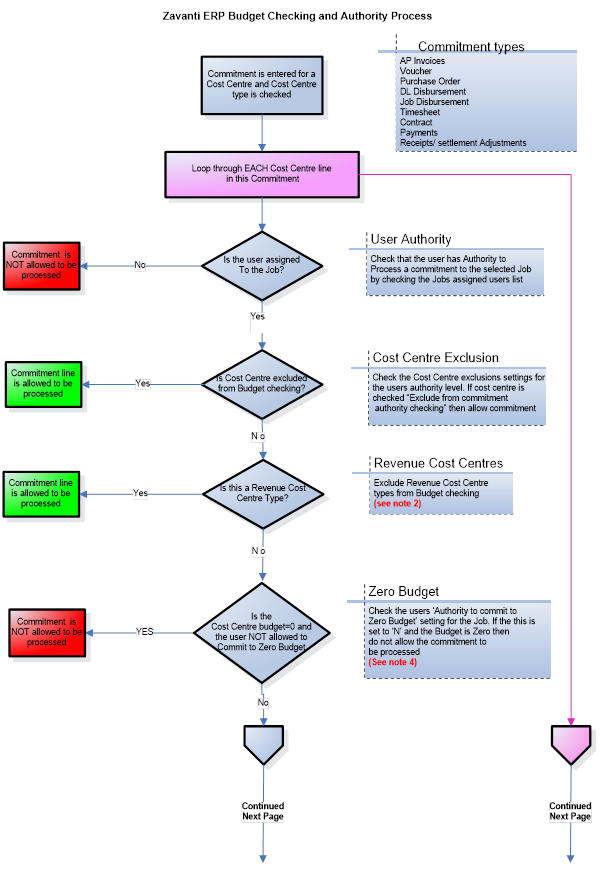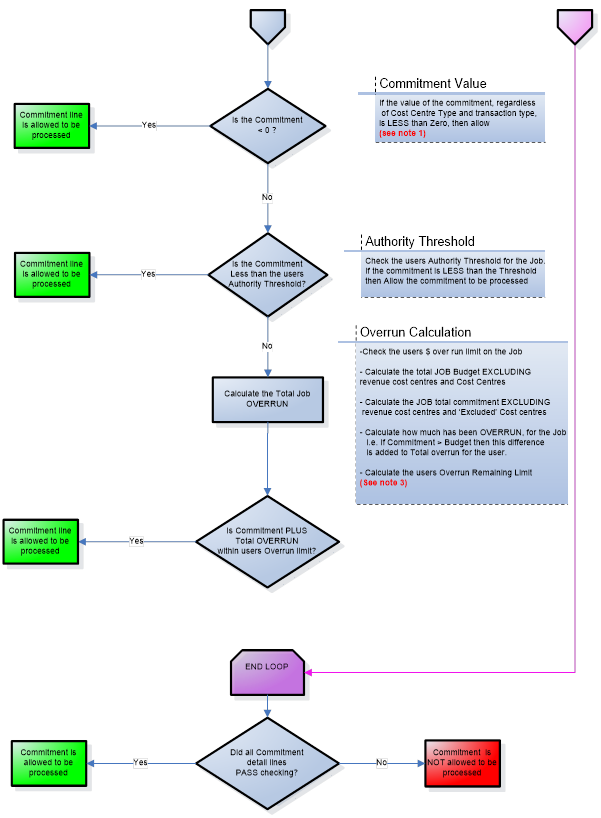
An Authority Level checking tab is included on each job to allow the Project Manager to set restrictions for other users. This might include setting maximum dollar values for the entry of variations, overruns on budget etc.
There are 4 possible settings that can be allocated. They are:
|
Option |
Description |
|
No Checking to Budget |
Transactions entered will not be checked against the budget |
|
Warn if Over |
A warning message will be displayed to the user if a transaction will go over budget. The user has the option to accept or reject it for further investigation. |
|
Never allow over Budget |
This option sets the rule to never allow over budget on that job |
|
Authority Level Checking |
This option allows to user to set up a matrix of other users and their level of accessibility at a job level. |
When you are creating a new job give careful thought to the Budget Checking before selecting an option. Once it has been selected it cannot be changed. If unsure leave it as No Checking to Budget until a decision has been made.
When you are creating a new job give careful thought to the Budget Checking before selecting an option. Once it has been selected it cannot be changed. If unsure leave it as No Checking to Budget until a decision has been made.
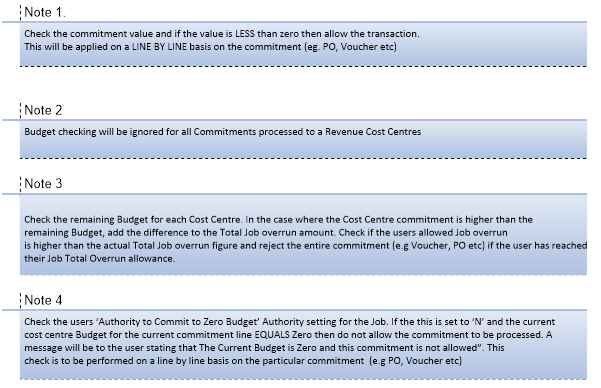
Once Authority Level checking has been enforced, and every user has been assigned to an Authority Level, we can see how the Authority Level checking operates.
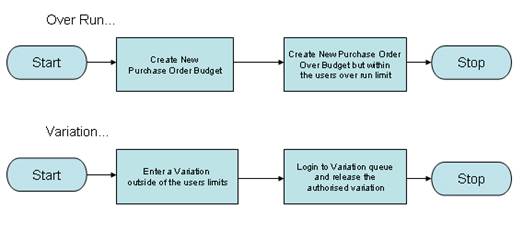
As well as permitting over runs, the authority Level feature allows variations to the budget of a job, within the rules set up for the Authority Level.
Authority Level checking is used for ensuring Job budgets do not over run. It does not oversee Development Ledger budgets.