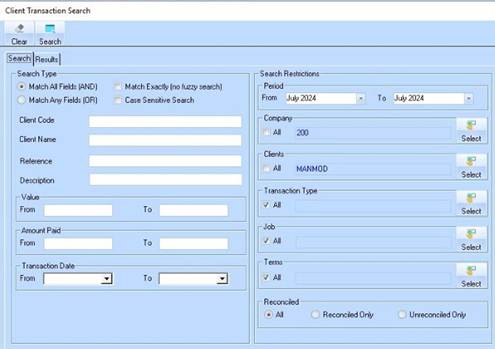
This function allows you to find a specific transaction for a Debtor.
1. Select a menu path of Utilities Ø Client Transaction Search. The following window will be displayed:
2. Enter and select the required Search criteria
3. To initiate the search, press the Search button. The following window will be displayed:
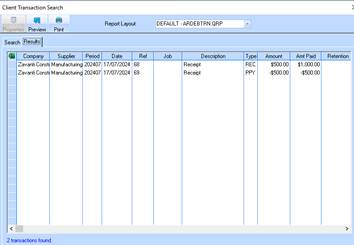
4. You may obtain a printout of the list or export the list to Excel.