
Careful consideration needs to be given before running this transaction as it cannot be reversed. In addition, no other users may be logged in at the time of completion.
As your database grows the number of transactions in your Development ledger transaction table could potentially become quite large. If you wish to consolidate your transactions from individual ‘as entered’ rows into single transactions grouped by company, estate, stage (project, improvement or lot) and Cost Centre you can use this function. When you have done this you will have a rationalised table that balances to the original table but with a lot less transactions.
This is particularly useful if you close an estate, or if you import a large number of opening balances and then wish to consolidate them for ease of use.
|
|
Careful consideration needs to be given before running this transaction as it cannot be reversed. In addition, no other users may be logged in at the time of completion. |
To Consolidate Transactions
1. Select the menu path Utilities Ø Consolidate Transactions.
2. The following window will be displayed:
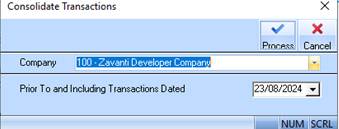
3. The Company pick list will default to the company you have logged in as. Leave the value as defaulted.
4. The Prior To and Including Transactions Dated field will default to the current date. Select a date that is in the past and press the Process button. The following warning message will be displayed:
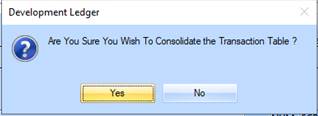
5. Select the Yes button. The following warning message will be displayed:
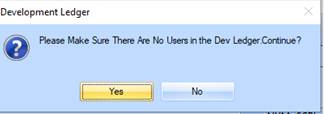
6. Select the Yes button. The following warning message will be displayed:
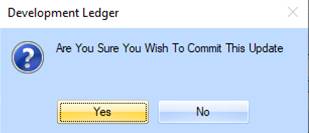
7. Select the Yes button.