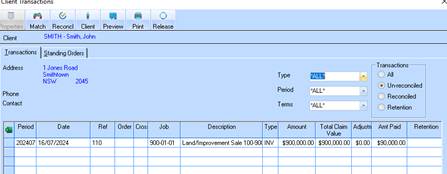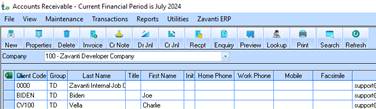
1. Process the ‘deposit’ receipt by clicking on the ‘Receipt’ option
2. The ‘Cash Book receipts’ control window will appear

3. Select the required bank account
4. Check the ‘Banking Option’ check box
5. Check the ‘Print receipts’ check box if you need to supply a printed receipt for the transaction
6. Click the ‘Receipt’ option
7. The ‘Receipt header’ window will appear where the details of the deposit are to be entered
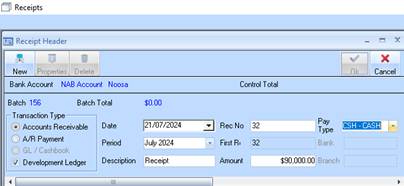
8. Tick the ‘Development Ledger’ check box
9. Enter a description for the Receipt
10. Enter the deposit value
11. Enter a receipt number (as per bank statement if provided)
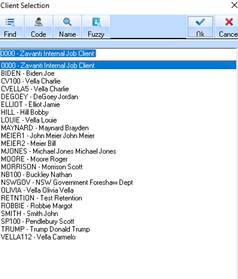
12. Click ‘new’ to dissect the receipt to the required client
13. The ‘client selection’ lookup window will appear where you must select the client and click ok
14. The outstanding invoice will appear in the following window
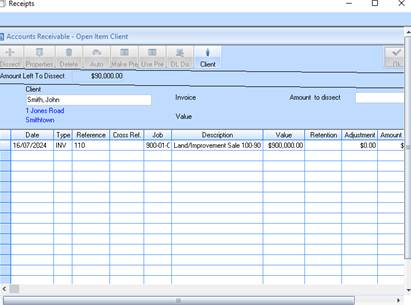
15. Select the invoice line
16. Click ‘dissect’ to allocate the deposit to the outstanding invoice
17. The receipt will appear in the ‘Unprocessed receipts’ as shown
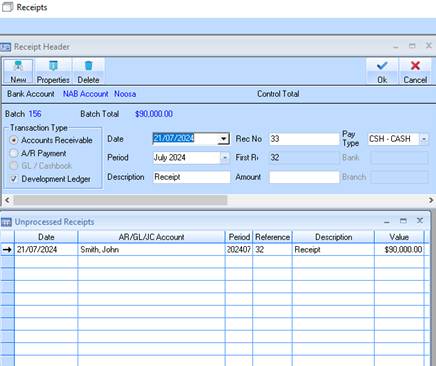
18. Click ‘ok’ to process the receipt
19. The ‘Banking’ window will now appear in order to post the Receipt to the Cash book.
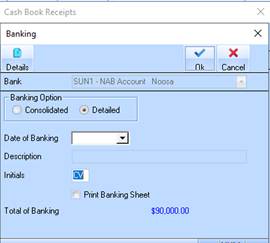
20. The above deposit receipt that has been allocated to the client’s invoice will now leave the balance of the settlement as outstanding