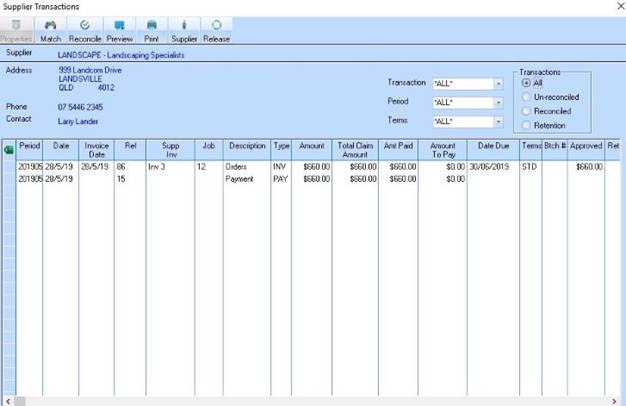
A normal payment to a supplier will show as a “Payment” in the Bank Reconciliation and Accounts Payable enquiry
An Accounts Payable receipt can be used for example a refund from that Supplier. The “refund” may have been “deposited” into the user bank account but there is no Debtor invoice to apply this refund to. Processing an Accounts Payable receipt will show as a Receipt on the Bank Reconciliation.
Sample:
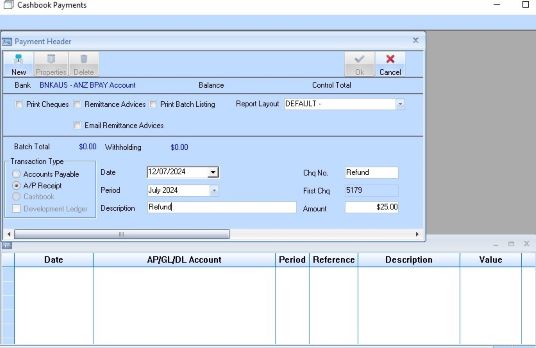
1. This is an AP Receipt for $25.00. Click on New and select a Supplier from the lookup box
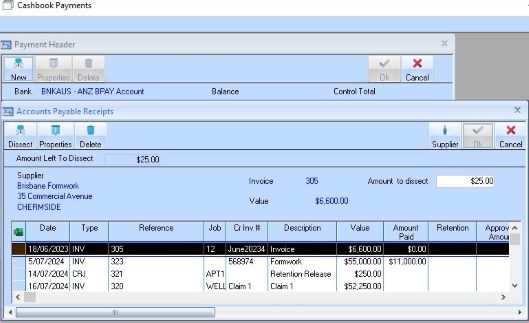
2. Highlight the Invoice that the refund applies to and click on Dissect
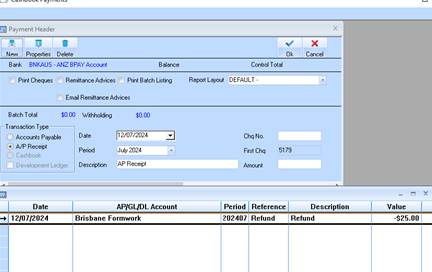
3. In the batch table window it displays as a negative payment.
4. Click on OK to process
5. The Supplier refund now shows as a Receipt in the Bank Reconciliation
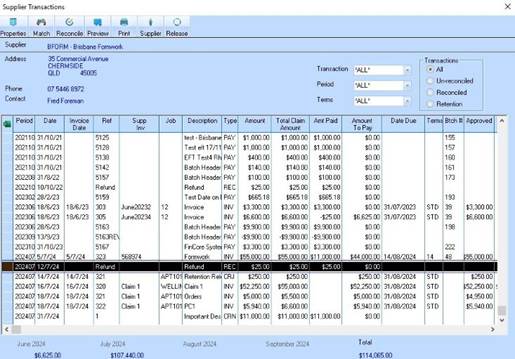
6. The Supplier Enquiry shows both Payments and Receipts.