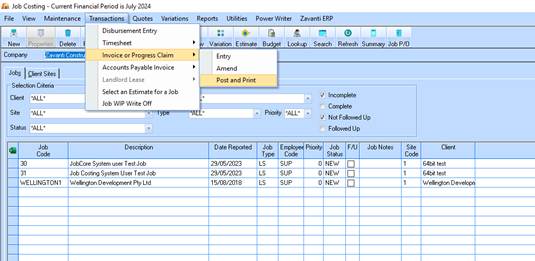
It is important to make sure that before a job is marked as completed that ALL of the costs that have been written to that job (work in progress) are written off and moved to cost of sales. As it is probable that costs will come in after the final legitimate progress claim/invoice has been entered these costs will stay on the job unless you raise a Nil claim/invoice.
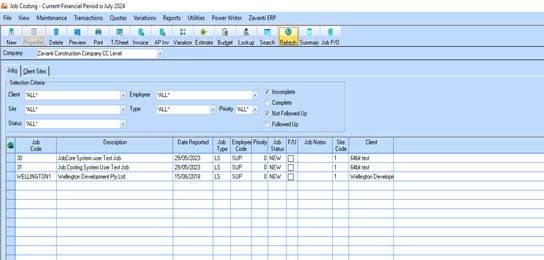
1. Load the Job Costing Module
2. Choose the Invoice pushbutton from the main Job Costing window.
3. The Invoice Setup window will be displayed; you are required to fill in a batch description and to choose the Radio button Progress Claim.
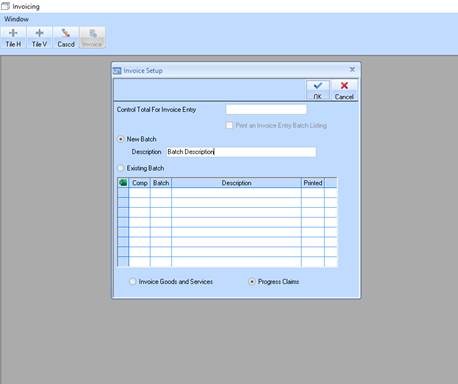
4. Click the OK to save your changes.
5. The Progress Claim Entry window will be displayed; you are required to select a Job and a Tax Code.
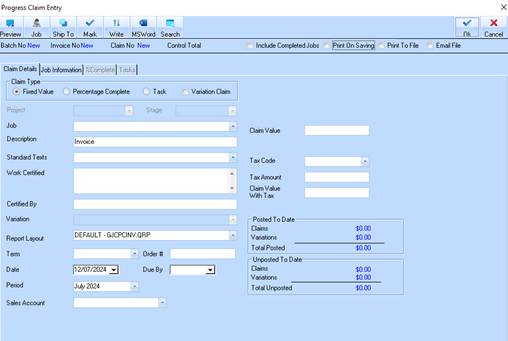
6. Click the Mark pushbutton.
7. The Mark Invoices window will now appear, you should check the value to write off.
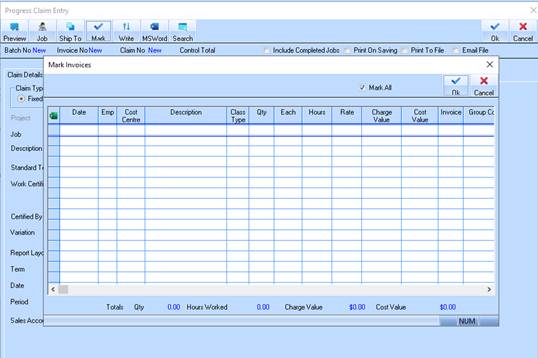
8. Click OK to save your changes.
9. The Progress Claim Entry window where you are required to make sure that the Claim value is nil will be displayed.
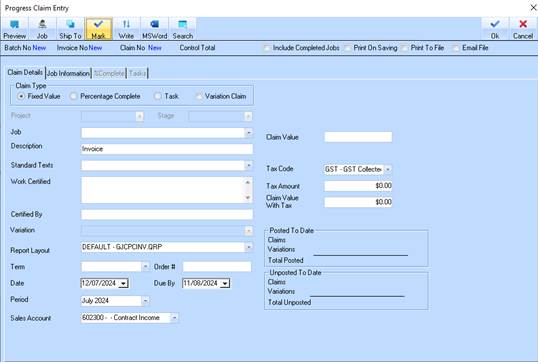
10. Click on OK to save the changes and close the window.
11. You will now be asked for another Job. Either choose the next job to do an invoice for or choose Cancel to close the Progress Claim window.