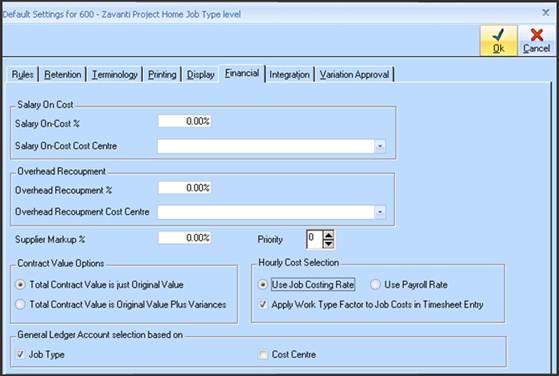
1. A new default setting has been included in Job Costing to select either Job Type General Ledger settings or Cost Centre General Ledger settings (this is to cater for clients that do not require the enhanced level of detailed reporting in the General Ledger or maintain Stock on hand).
2. Modifications to all Job transactions functions that require the GL account selections either from the Job Type, or from each Cost Centre per transaction line
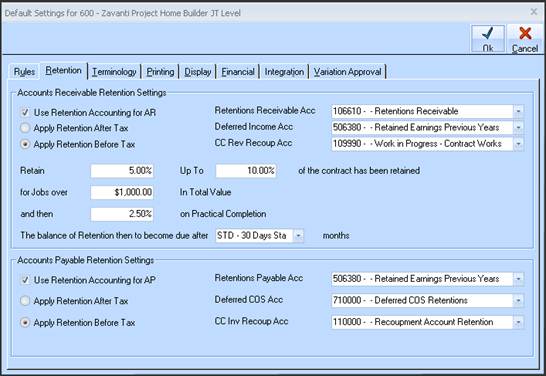
3. Job Costing Retentions Settings – implementation of new CC Revenue Recoup Account for use only with Goods & Service Accounts Receivable invoices, retentions before tax, cost centre setting.
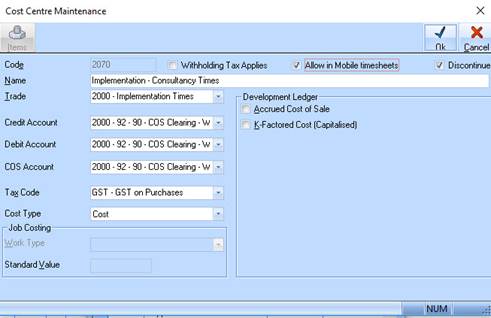
4. Cost Centre Setting – implementation of ‘COS Account’ for use in conjunction with Cost Centre financials setting.
5. Cost Centre Maintenance – setting included to “Allow in Mobile Timesheets” needs to be selected for the cost centre to display in Zavanti Mobile Timesheets.
6. Job Costing – Progress Claims Entry/Maintenance. The user can select which revenue account to credit revenue to in the General Ledger (Note – defaults to the ‘Invoicing Sales Account’ set on the Job Type for each Job/invoice as shown here.
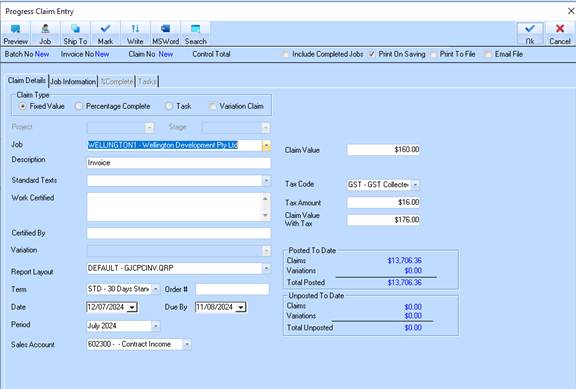
7. Hide the new Sales Account field and label when the user does NOT have the appropriate security settings.
8. If the user has the required security setting, allow the user to select a different GL account to the default one set above.
9. When the user SAVES the Progress Claim invoice, SAVED the selected Sales account at Invoice (HEADER) level, to then be used in the Progress Claim invoicing posting process.
10. User security - A new user security option ‘Change Sales Account on Invoices’ has been added to the Job Costing options in Systems Maintenance.