1. Select the Search button on the Toolbar or the Menu Path Utilities Ø Supplier Transaction Search. The following window will be displayed:
2. Select the Match Any Fields (OR) Radio Button.
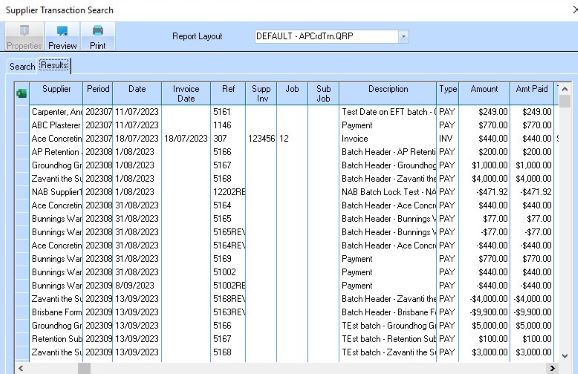
3. Select the All checkbox in the Company and Supplier sections. Press the Search button. The following window will be displayed:
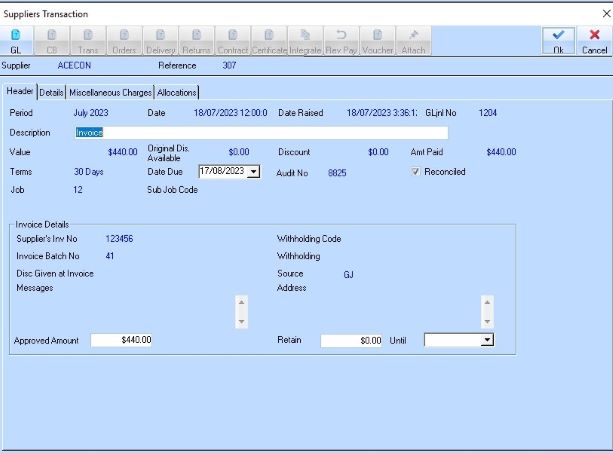
4. Select a Line Item and press the Properties button. The following window will be displayed: