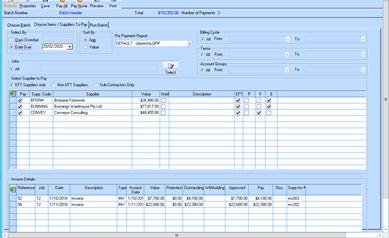
When creating a new Payment run the Supplier selection will default to ‘Non EFT Suppliers’. If the user is doing an EFT run then they can check ‘EFT Suppliers Only’ which will select Suppliers where EFT details are set in supplier maintenance.
You can then do a further filter of Sub-contractors only – select this for and refresh to only show sub-contractors for your EFT or Non-EFT payment run.
Payment Run process
In this example, the “EFT Suppliers” was selected and the data is automatically displayed without needing to click on Refresh. If the user switches from EFT Suppliers to NON EFT Suppliers then this window is refreshed automatically without the user having to click ‘Refresh’ button.
If you desire to only have sub-contractors you will need to select AND click the refresh button.
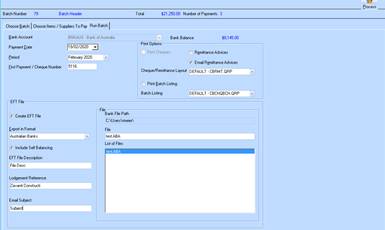
When doing and EFT run, the “Email Remittance Advice” setting will be automatically checked, however the user can change to print “remittances advices” if required. If the Batch Listing is required it can be printed after the batch has been processed by going back to Posted Batches, and using the right click menu and select printing options.
The ‘Create EFT File’ is set by default. If the user does NOT want to create the EFT (ABA) file then they should untick this setting. Please note, you cannot recreate the EFT (ABA) file once the batch is processed
The user can Process or Save this batch for later processing