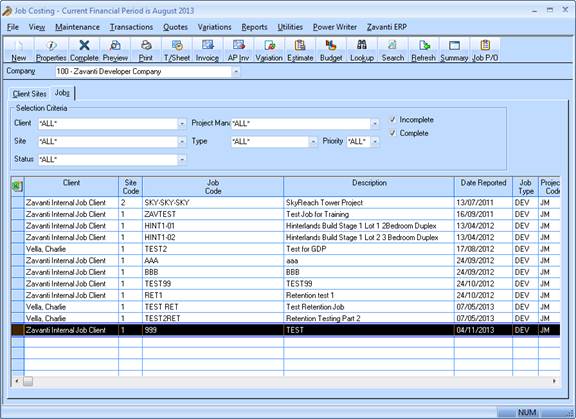
1. Once the Estimate has been verified, it is then copied to the Job in order to create the Feasibility (Original) budget and Forecasts.
2. The users must select the Job from the Job Costing main window, and click on the Estimate button as shown
3. Select the required Estimate to be copied from the dropdown list provided, ensuring that all other selections are also complete as shown
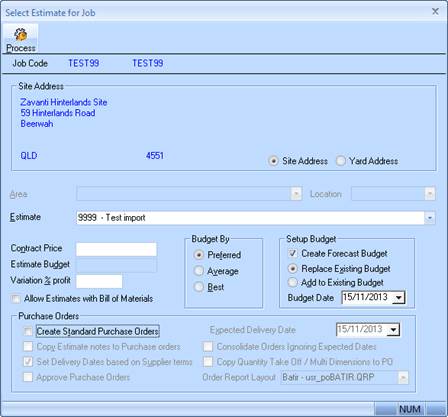
• Uncheck ‘Create Standard Purchase Orders’
• Check ‘Create Forecast Budget’
• Select ‘Replace Existing Budget
4. The user then clicks process and the Budget and Forecast are then created. Ensure that the newly created Forecast is set to ‘Current’ and then Saved