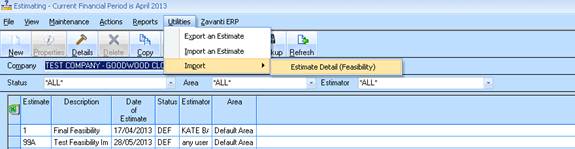
1. Select Utilities > Import > Estimate Detail (Feasibility) from the Estimate window main menu, as shown in the following screenshot:
2. The “data import” import will then require the user to enter the following details
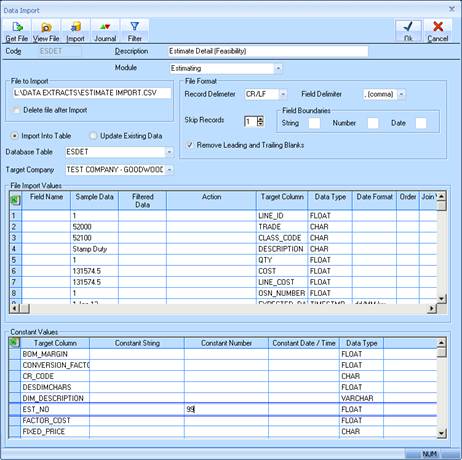
3. Click on “Get File” button. Select the csv file resulting from the Estate Master data creation in the required format. This will automatically MAP to the ‘File Import Values’ as shown by example.
4. In the “File Import Values” table, is set up the mapping for the import. Each “Target column” value should is set to the columns in the CSV file
5. Select the ‘Target Company’
6. Enter the “Estimate Number” and “Revision” if applicable (as created in 2.1) into the ‘Constant values’ section if the window above.
7. All the import settings are configured, they are saved and don’t need to be set up again.