1. First, we must execute a POST web request with several information in the body in order to get a token.
•Request URL (as POST):
https://login.windows.net/<ID_TENANT>/oauth2/token
•You can get the tenant id in the overview of the application created in the Azure portal
•Body:
•grant type = the string "client_credentials"
•ClientID = The application id. You can get in the overview of the application created in the Azure portal.
•client secret = The client secret generated in the portal azure
•resource = the URL of your CRM (https://xxxxxxx.crm6.dynamics.com/)
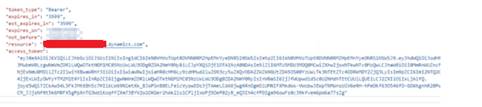
•Response :
This request should
return a Json string containing the token:
2. Test: WhoAmI
•Then, you just have to use this token as “Bearer” in the header of any API CRM call requests.
•Let’s take an example with the WhoAmI method which is supposed to return the id of the calling user.
•Request URL (as GET):
https://<CRM_URL>/api/data/v9.0/WhoAmI()
•Header:
Bearer Token : The access token get in the second
step 
Response :
This request should
return a Json string containing the UserId: