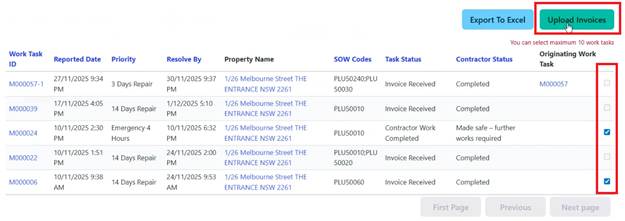
For efficiency, multiple Invoices can be uploaded at once:
1. Go to ‘Completed’ Work Tasks from the dashboard
2. Select multiple Work Tasks by checking the boxes next to multiple completed Work Tasks
3. Click ‘Upload Invoices’ button
4. System displays all selected Work Tasks
5. Upload Invoice PDF for each Work Task individually
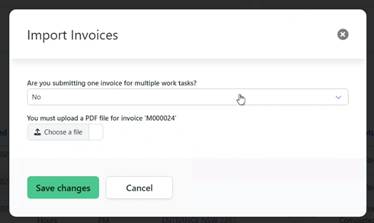
6. Add comments if needed
7. Submit all at once
This feature saves time when multiple jobs have been completed.