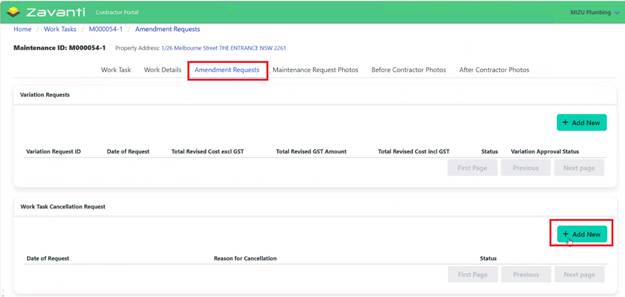
If a Work Task cannot or should not be completed, Contractor may Request cancellation:
1. Open the Work Task
2. Navigate to Amendment Requests tab then to Cancellation Request section
3. Click ‘Add New’
4. Select Cancellation Reason
•Tenant declined work
•Component found to be in good condition
•Unable to get in touch with tenant
•Other (specify)
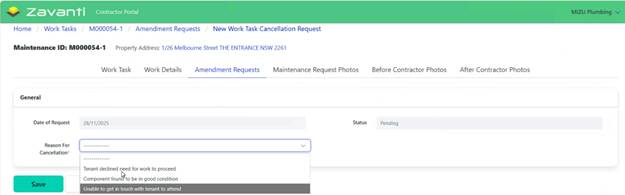
5. Click ‘Save’ to submit Request
6. Request sent to CHP for review
7. Status shows as ‘Pending’

Important: This does not automatically cancel the Work Task. It creates a Request for CHP to review.
8. CHP Review and Approval
•Request goes through approval workflow
•Team Leader reviews circumstances
•Decision made to approve or reject
9. Notification:
•Email sent with decision
•If approved: Work Task marked ‘Cancelled’ and removed from the active list
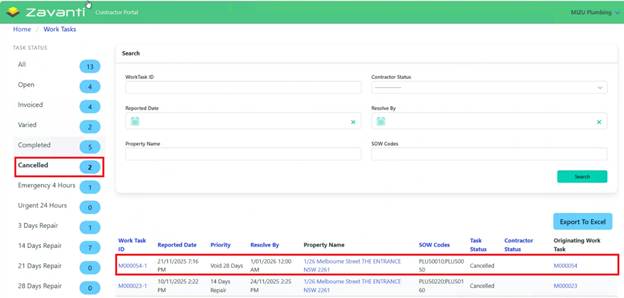
•If rejected: Work Task remains active and Contractor is notified to proceed