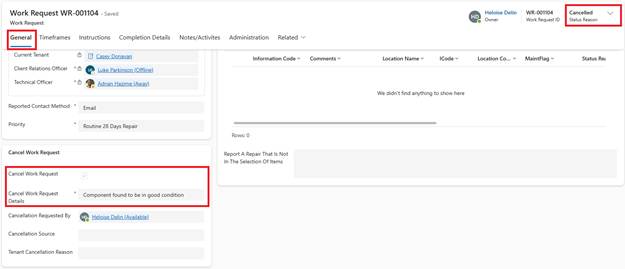
If a Work Request is not required, Cancel it from the General tab.
1. Open the Work Request
2. Navigate to the Cancel Work Request section, in the General tab
3. Tick ‘Cancel Work Request’ and enter Details
4. Click Save
System Actions:
o Work Request Status is Cancelled
o The record becomes Inactive