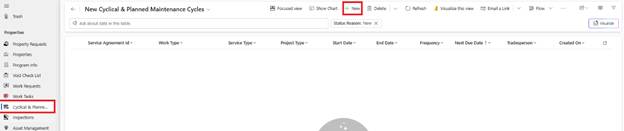
1. Navigate to Cyclical and Plant in left navigation
2. Click New Service Agreement
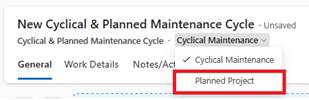
3. Service Type: Select Planned
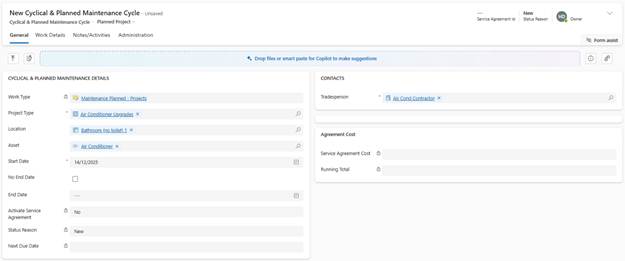
4. Work Type: Defaults to ‘Planned Projects’ (or configured planned work type)
5. Project Name: Enter descriptive name (e.g., ‘Kitchen Cooktop Upgrade - Block A’)
6. Location: Kitchen, Bathroom, Dwelling, etc.
7. Asset (if applicable): Select asset being upgraded/replaced (e.g., Stove)
8. Start Date: Scheduled date for work to commence