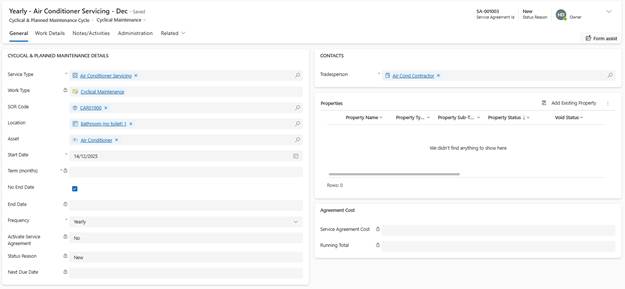
Service Agreements generate Work Tasks automatically at specified intervals.
Setup Process:
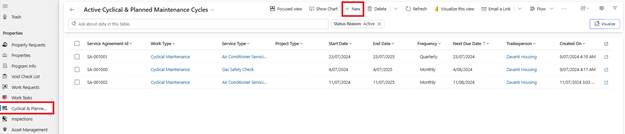
1. Navigate to Cyclical and Plant in left navigation
2. Click New Service Agreement
3. Service Type: Select Cyclical
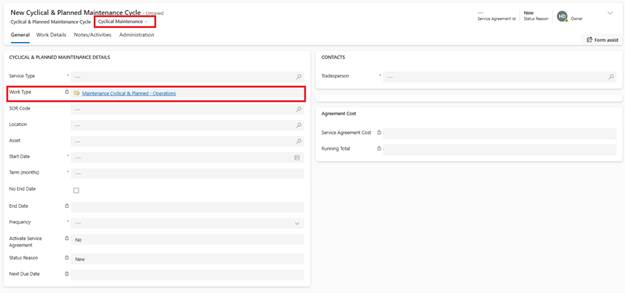
4. Name: Enter descriptive name (e.g., ‘Annual Smoke Alarm Testing’)
5. Reference: Optional external reference number
6. SOW Code: Select the applicable Schedule of Works code
o System displays job description, long description, unit group
o Pre-configured requirements (report, certificate, warranty, SWMS) display
7. Tradesperson: Select contractor responsible for recurring work
8. Location: Dwelling, Common Area, etc.
9. Start Date: First date Work Tasks should be generated
10. Frequency: Select recurring interval:
o Daily
o Weekly
o Fortnightly
o Monthly
o Quarterly
o Half-Yearly
o Yearly
o Custom (specify interval)
11. End Date (optional): Leave blank for ongoing Service Agreements
12. Click Save