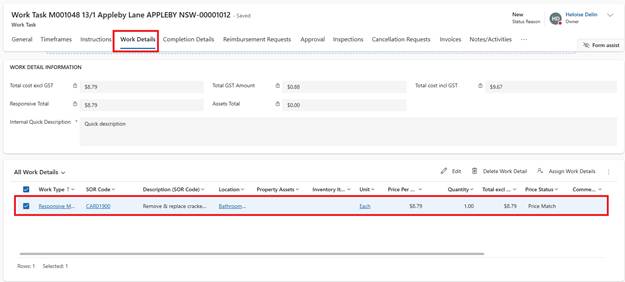
1. Open Work Task
2. Navigate to Work Details tab
3. Select the Work Detail line(s) involving Tenant damage
4. In the Work Task Detail, update Damage/ Maintenance field to D
6. Damage Amount to be Covered field becomes mandatory
7. Enter Amount to be charged
8. Enter Comments: Explain reason for charge
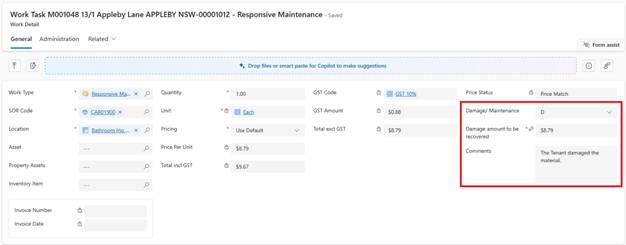
9. Click Save & Close
Multiple Lines with Damage:
•Repeat process for each affected work detail line
•System calculates total proposed damage amount
System Actions:
•Total Proposed Amount updates
•Tenant Damage section becomes visible