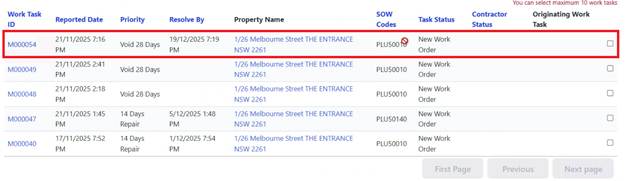
The Contractor uses this when additional work is needed before completing the job.
While reviewing or starting the work, Contractor determines:
•Additional materials needed
•Extra scope of work required
•Different approach necessary
To submit a Variation Request:
1. Open the Work Task
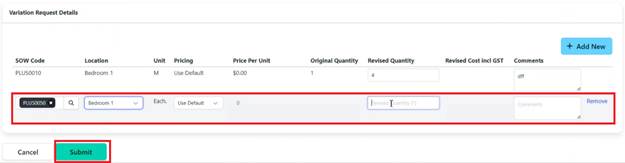
2. Click ‘Add New’ in the amendment Request section
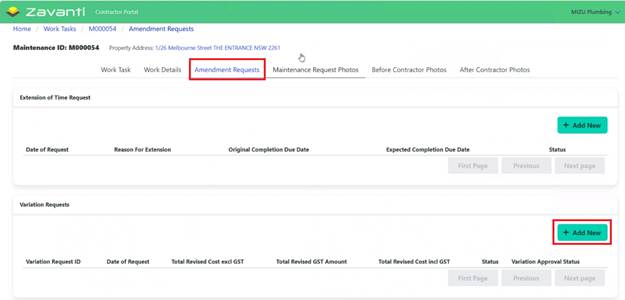
3. Review existing Work Details (original SOW codes displayed)
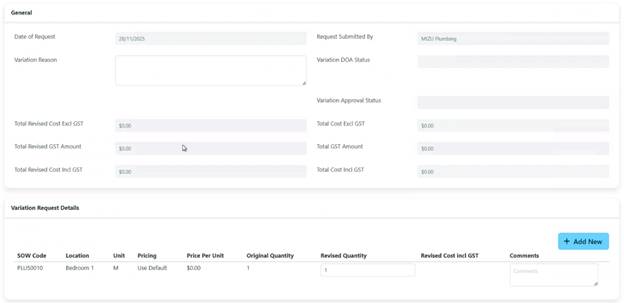
4. Add new line items as needed:
o Select SOW code (or Request if not listed)

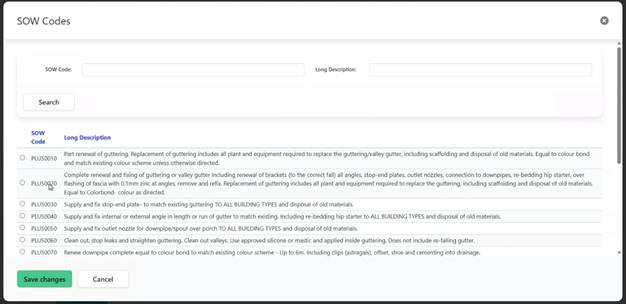
o Enter location
o Specify quantity
o Enter revised cost (if applicable)
5. Click ‘Submit’ for approval
6. Variation Request status shows as ‘Received’
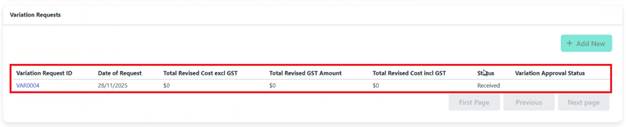
The Variation Request follows CHP's Delegation of Authority (DOA) workflow:
•First Level: Assets Officer reviews
•Additional Levels: Based on dollar amount, may escalate to:
o Team Leader
o Asset Manager
o CFO
o CEO
Contractor will receive notification via:
•Email confirming approval or rejection
•SMS notification
•Portal status update
If approved:
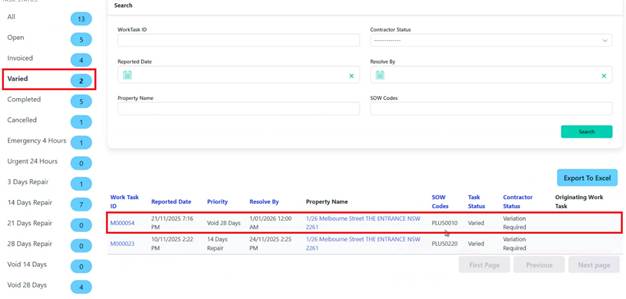
•Original Work Task marked as ‘Varied’ and closed
•New Work Task created (e.g., original #54 becomes #54-1) and automatically sent to Contractor
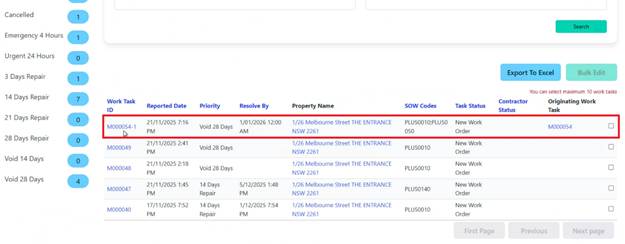
•Updated Work Details reflect approved Variations
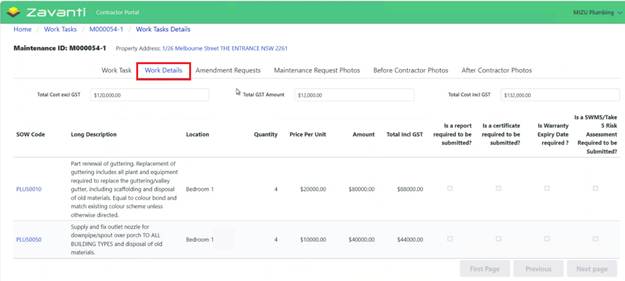
•The Contractor can proceed with completing the work