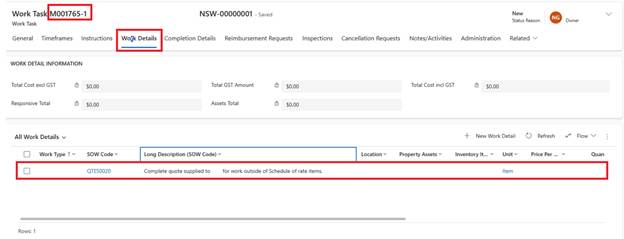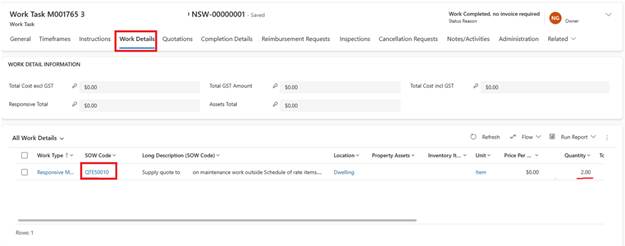
Quotes can be Requested whenever we do not have an SOW Code in the Contractor's Price List or if large-scale Planned Works are involved. Zavanti allows us to send the Quote Request, receive the Quote(s) back, mark Quotes as Approved or Rejected and raise a Work Task for the quoted works. Use SOW code=QTE50010 for Requesting quote and work detail quantity defines how many quotes you need.
Contractor can upload the Quotes on the Contractor Portal or send them in an Email. These are visible in the Quotations tab within the Work Task. If received in Email, user will manually add them here
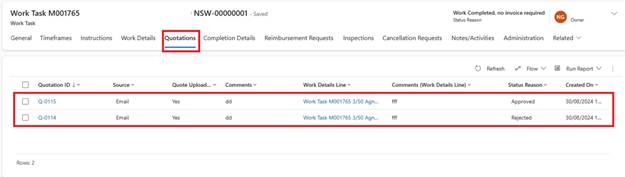
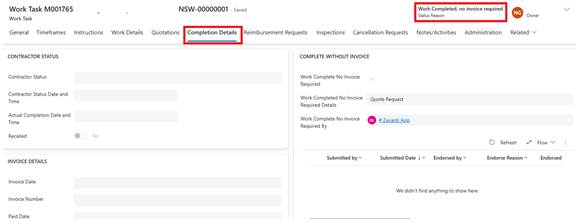
Once a quote is approved, original Work Task gets marked as Work completed, no invoice required and details as Quote Request.
A new Work Task is created automatically with original Work Task id-1. The new Work Task has SOW code=QTE50020 in work details which tells the trades that he needs to complete this work based on the approved quote