For Work Tasks under DOA threshold OR after approval:
1. Open the Work Task
2. Review all details
3. Click Email Work Task
System Actions:
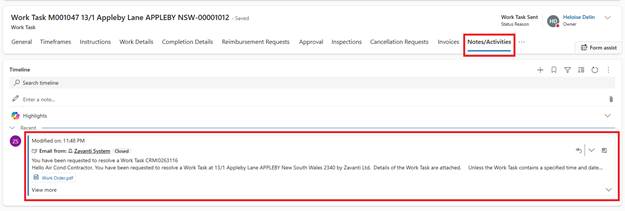
•Email sent to contractor with PDF attachment containing:
o Work Task Details
o Priority and due date
o Hazards and risks
o Tenant contact information (if occupied)
o Work detail lines with SOW codes, quantities, prices
o Special requirements (report, certificate, warranty, SWMS)
o Contractor portal link (if applicable)
o Before/after photo requirements
•SMS sent to Tenant (if Property occupied) notifying them of:
o Contractor appointment
o Timeframe for access (based on priority)
o Contractor contact details
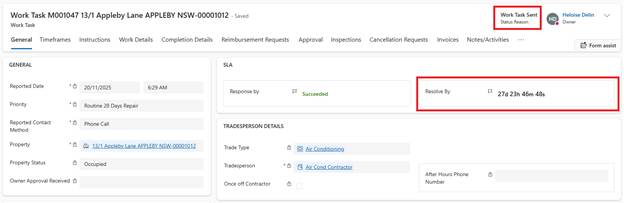
•Status changes to Work Task Sent
•Resolve By SLA activates
•Timeframes tab begins tracking compliance