1. Open Tenancy page
2. Select Absent Register tab from Additional tab menu
3. Select New Absent Register
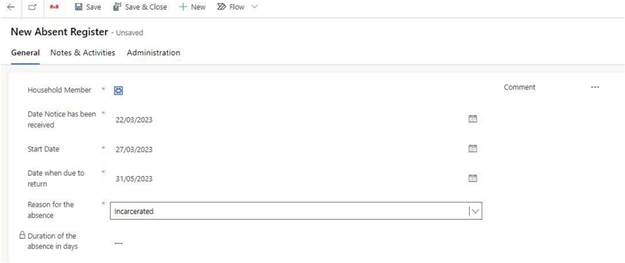
4. Select Household member absent
5. Confirm date CHP notified about absence
6. Confirm start date
7. Confirm expect return date
8. Select reason for absence
9. Include comments regarding reasons for absence and any points of Contact to note
10. Save
11. If Rent discount is Requested, follow steps on Hardship Requests guide
NB. If a Rent discount is being Requested, we cannot backdate a Rent discount to a date before we were notified.