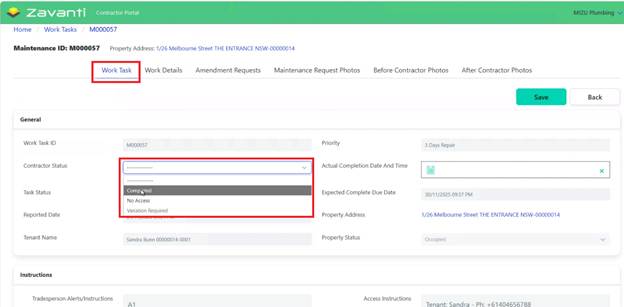
Once photos and assessments are uploaded, the Contractor status field becomes editable:
1. Click on the ‘Contractor Status’ dropdown
2. Select the appropriate status:
o Completed - Work finished as specified
o Variation Required - Additional work or changes needed
o Other options as applicable
3. Enter the Actual Completion Date and Time
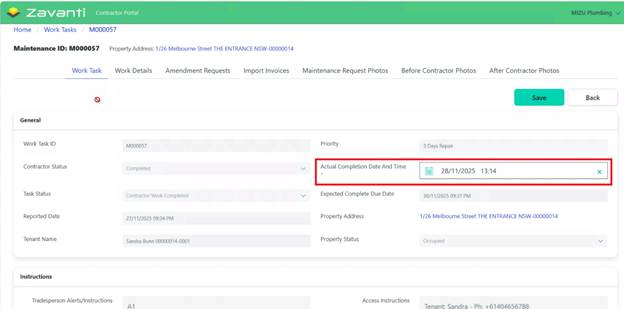
4. Click ‘Save
5. The user is asked by the system whether they want to proceed.
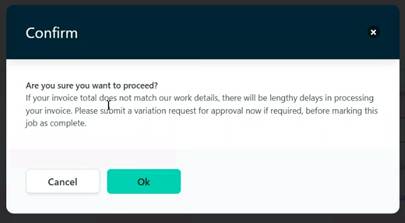
6. Click ‘Ok’
7. If everything is complete, the Work Task Status updates to ‘Completed’
Upon completion, the system automatically:
•Updates the Work Task Status in Zavanti
•Sends SMS to Tenant (for occupied properties) with Feedback Survey link
•Creates alerts for CHP maintenance team
•Moves the Work Task to the ‘Completed’ section