1. Open the Work Task
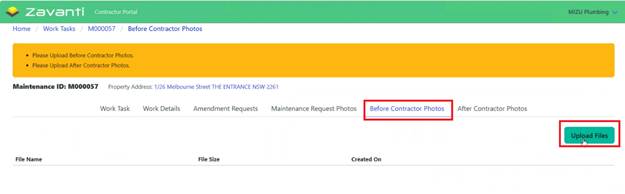
2. Navigate to the Before Contractor Photos tab
3. Click ‘Upload’ for Before
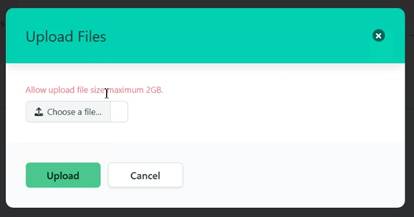
4. Select and upload images from the device
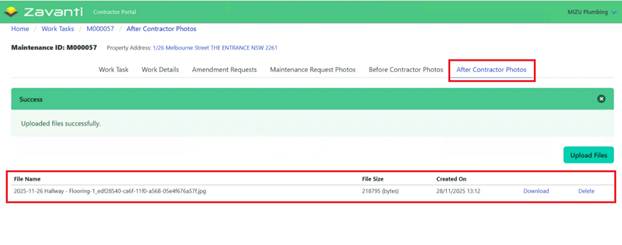
5. Repeat for after photos
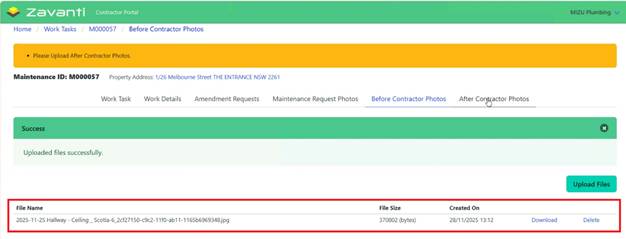
6. Verify uploads are successful
7. Repeat the same for After Contractor Photos