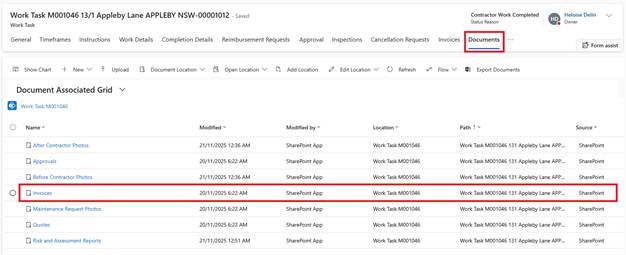
1. Open the completed Work Task (Status: Contractor Work Complete)
2. Navigate to Documents tab
3. Open Invoices folder
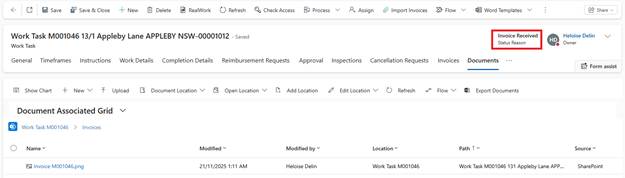
4. Click Upload → Select PDF invoice file
5. System automatically:
o Changes status to Invoice Received
o Sends invoice to Continia via Email (AI Invoice processing in BC)
Current Process:
•Work Task lines already synced to BC at completion
•Invoice PDF sent to Continia for processing
•Finance team matches invoice to Work Task amounts in BC
Once the Invoice is matched:
•Payment processed to contractor in BC
•Payment confirmation syncs back from BC to Zavanti
•Work Task status updates to Invoice Paid (Work Task becomes Inactive)