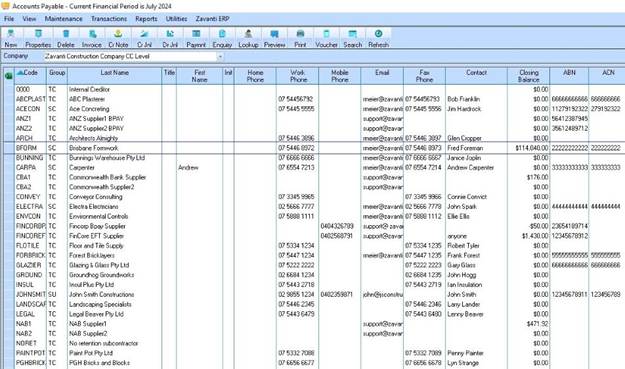
When first logging into the Accounts Payable module, users are presented with the main screen displaying a list of all suppliers. You can display the closing balance for suppliers on the right hand side of the screen by checking the “Show Closing Balance” option on the View menu. The figure will be calculated up to the current date only and will not take into account any future transactions.
To restrict a user from being able to see this information, they will need to have the “Supplier Enquiry” function removed from their permissions in the Systems Maintenance module (which will also restrict them from being able to see supplier transactions in the Supplier Enquiry window).