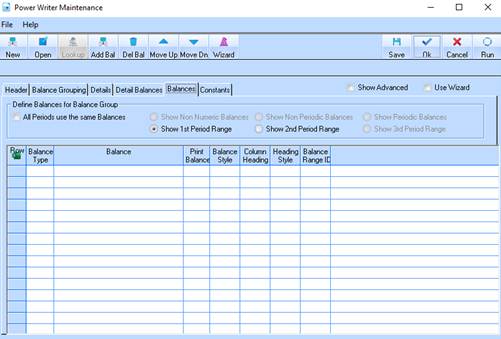
The balances tab allows you to extract specific information from the database. For example, if you would like to see the approved budget for a job, you can choose this balance from the system. The balances appear as columns going across the spreadsheet.
|
Balance Name: |
JOB – FORECAST BUDGET (ALL) |
|
Balance Description: |
This is the Current Forecast Costs to Complete maintained in the Forecast tool for each job. It can be selected only in an Up To financial period range. |
The specified balance will retrieve all of the Job Forecast budgets from the system, relating to the Distribution codes we have entered in the Details tab. Select the Balances Tab. The following window will be displayed: