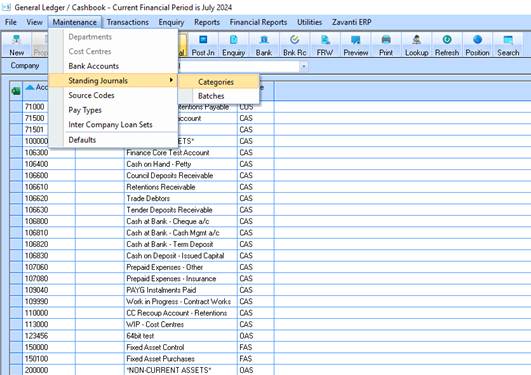
The first step is to set up categories of Standing Journals.
1. Log into the General Module and select the Company for the Standing Journals.
2. Select Maintenance/Standing Journals/Categories
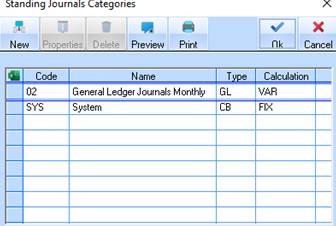
3. Click on the New button
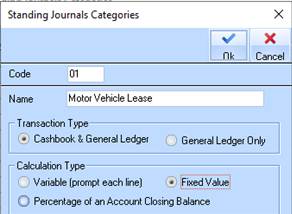
4. Enter a unique code and Name for this Category
5. Select Transaction Type
•Cashbook & General Ledger will create a transaction in the Bank Reconciliation and associated journals.
•General Ledger only will generate journals
6. Select Calculation Type
•Variable – will prompt the user to enter a value for each line when the Standing Journal process is run.
•Fixed Value – Enter a fixed value that will be processed when the Standing Journal process is run.
•Percentage of Account Closing Balance – The Standing Journal process run will calculate the value based on a set percentage of the General Ledger Account.
7. Click on OK
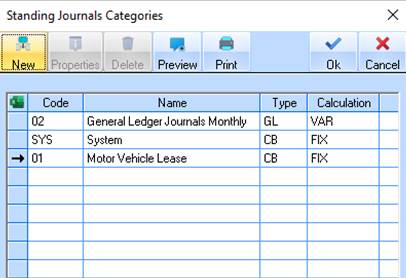
8. Click on OK