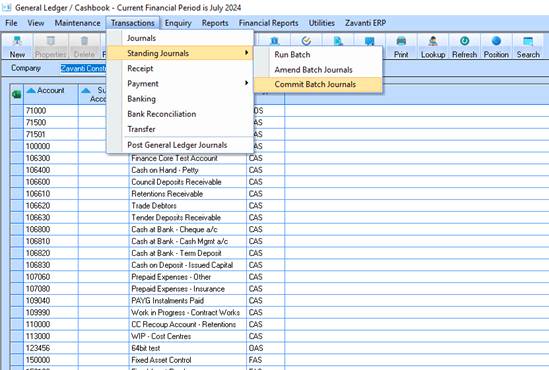
1. Select Transactions/Standing Journals/Commit Batch Journals
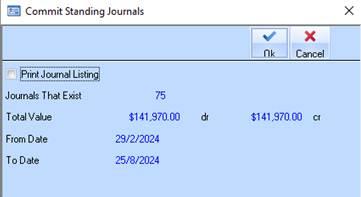
2. The Print Journal Listing will default – uncheck if print is not required.
3. Click on OK
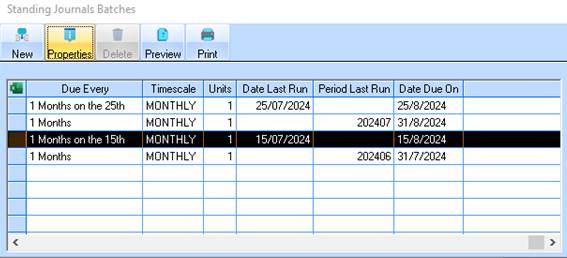
4. The Standing Journal Batch Maintenance has now updated the Date Due On
5. The Transactions are displayed in the Bank Reconciliation
6. The associated journals are posted in the General Ledger.