The Development Ledger Module has inbuilt into the key functions, i.e. Sales process and Accounts Payable Invoices, the ability to create your intercompany loan journals. For instance the Accounts Payable Invoice function allows you to land the liability of the invoice to a supplier in company A, but to dissect the cost to a Company, Estate and Stage in company B. When this occurs a credit will be posted to Trade Suppliers and a Debit to an appropriate Loan account in company A and a credit to an appropriate Loan account and debit to a capital (or expense) account in Company B.
It is the Inter Company Loan Sets that allow you to build the relationship between the companies and point to the correct loan accounts.
1. Select a menu path of Maintenance Ø Inter Agency Loan Set.
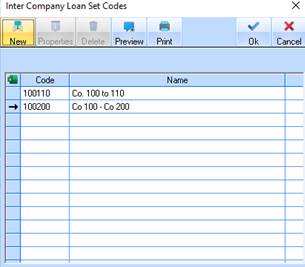
2. The following window will be displayed:
3. To create a new Inter Company Loan Set Code, press the New button. The following window will be displayed:
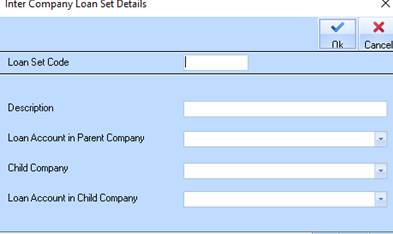
4. The Loan Set Code field is used to uniquely identify a Loan Set. Enter a value and press Tab.
5. The Description field is used to apply a meaningful title for the Loan Set. Enter a value and press Tab.
6. The Loan Account in Parent Company pick list allows you to select a General Ledger account that has been set up for the purposes of recording transactions between Parent and Child companies. Select a value from the list and press Tab.
7. The Child Company pick list allows you to select the companies that you have created using the systems maintenance module. You will need to choose from here the name of the child company in the Loan Set. Select a value from the list and press Tab.
8. The Loan Account in Child Company pick list allows you to select a General Ledger account that has been set up for the purposes of recording transactions between Child and Parent companies. Select a value from the list and press Tab.
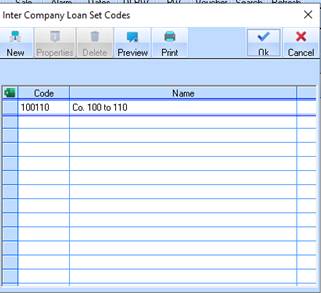
9. Press the OK button. The Inter Company Loan Set Listing window will be refreshed and displayed as follows: