Each Lot in the system will need to be allocated to a local authority when you are maintaining it. The following facility allows you to maintain the local authority code and names that will be allocated to the lot as you maintain it.
These codes, names and addresses are used when setting up a Lot. They allow you to set up the names and addresses of your local authorities where your stock resides or is to be developed in. This then enables you to flag each Lot with its local authority.
1. Select a menu path of Maintenance Ø Local Authorities.
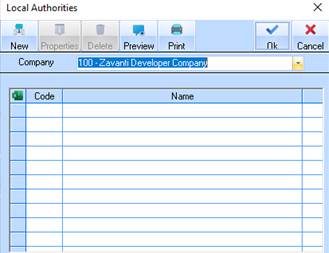
2. The following window will be displayed:
6. Select the New button.
7. The following window will be displayed:
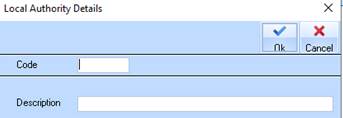
8. The Code field is used to uniquely identify the Local Authority record. Enter a value and press Tab.
9. The Description field is used to apply a meaningful name to the Local Authority record. Enter a description and press Tab.
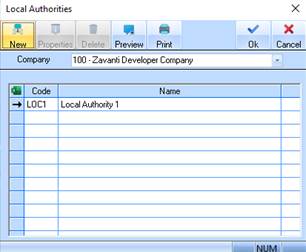
10. Press the OK button. The Local Authority Listing window will be refreshed and displayed as follows: