
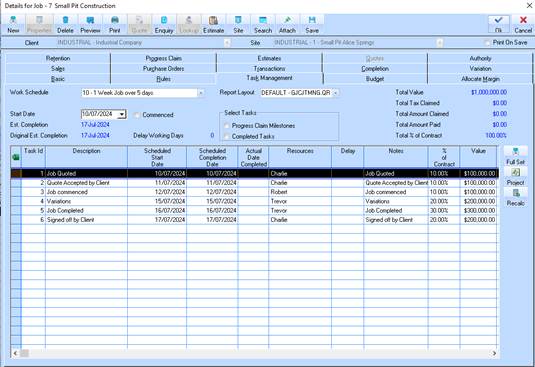
To output the Job Task Management Schedule to MS project the user must select the ‘Project’ button provided as shown here
This will output the above table window data to MS Excel. The user must SAVE this excel spreadsheet, and then re-open this using MS Project.
When initially done on each users workstation, they will be asked by MS PROJECT wizard to ‘MAP’ the excel sheet into the MS Project format. Once this is completed, the user can save this mapping for future use of this functionality.
A sample layout of this Task Management MS project report can be found in the following section.