 (New Work Run) button. The following
window will be displayed:
(New Work Run) button. The following
window will be displayed:1. Select
the New Wrk (New Work Run) button. The following
window will be displayed:
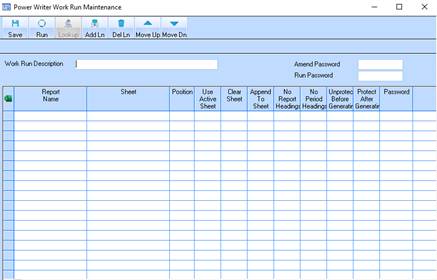
2. In the Work Run Description field enter a name for the work run. An example would be “Project Forecast Consolidation”.
3. Press the Add Ln (Add Line) button and select the “Last Row” option. The following window will be displayed:
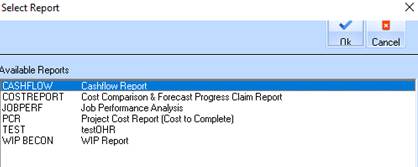
4. Select the report you would like to add to the Work Run first and press the OK button.
5. In the Sheet field, enter the name of the Excel Template that you would like the report to be generated into.