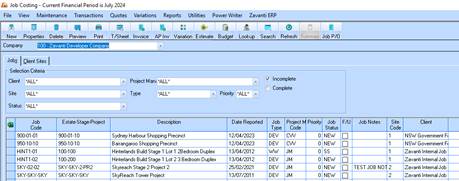
In the Job Costing module
1. On the Client Sites tab click on ‘New’, to create a new client if required. This need only to be done if you need to invoice a client for this job (e.g. Branson Construction Jobs)
2. Enter the details of the client accordingly
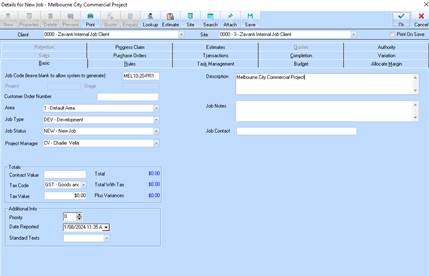
3. On the Jobs TAB, click NEW to create a new Job. Set up the job details, authority levels etc.
Please note: it is advised that you use meaningful JOB CODE codes to make it easier to recognise the project you are working in.
E.g. Job Code: Mel10-20-PR01