A Credit Note may be entered against an invoice if, for example, stock ordered was not delivered or was damaged in transit. A Credit Note may only be entered if an un-posted invoice exists for the Supplier.
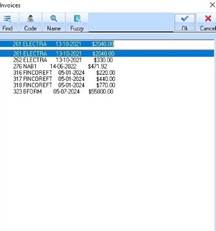
1. Navigate to the Credit Note function by selecting Transactions Ø Credit Note. The following dialogue box will be displayed:
2. Select from the
list of invoices you wish to apply the Credit Note to and press the OK  button. The following window will
be displayed:
button. The following window will
be displayed:
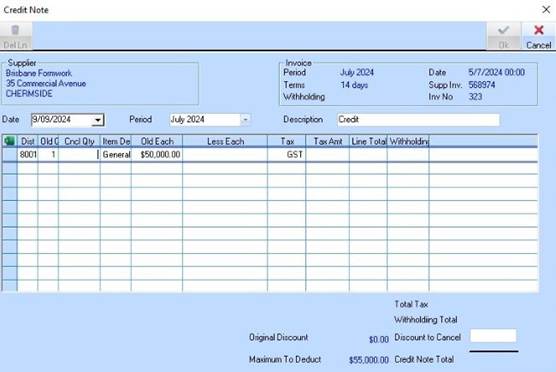
3. Position your cursor in the Description and modify the default to uniquely identify the Credit Note.
|
|
It is very important to uniquely identify the Credit Note by using the Description field. This provides ease of reference when performing bank reconciliation related functions. |
4. Position your cursor in the Less each column of an Invoice and enter the amount of the Credit Note.
5. Press the OK button. The Credit Note is successfully saved and will deduct the credit amount from the total amount payable upon generating payment.
