To display the Properties of a Voucher Status Code
1. Select the line item you want to enquire on and press the Properties button.
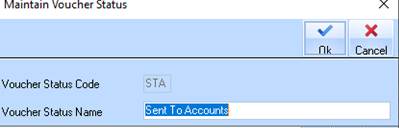
2. The following dialogue box will be displayed:
|
|
Once you have initially saved the Voucher Status, you may not change the Voucher Status Code. |
3. Enter a different description in the Voucher Status Code field. Press the OK button.
4. The Status list will be refreshed and displayed to you.
