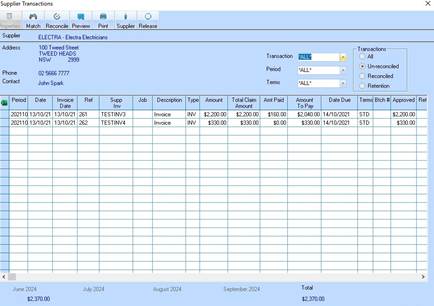
The Enquiry function allows a user to display all transactions for a Supplier.
1. After selecting a supplier, click on the Enquiry button. The following window will be displayed:
2. To view details of a particular transaction, select the line item and press the Properties button. The following window will be displayed:
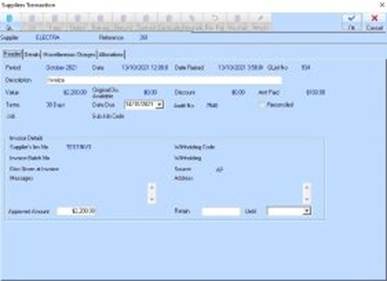
3. If the invoice was created from a Voucher – you can access the linked voucher and any attachment associated with the Voucher from the Enquiry view.
|
|
You may modify details of the transaction if the field is white and enabled. |
