You can create and invoice in Job Costing from a Voucher.
1. Log in to the Job Costing module.
2. When user selects ‘Create Invoice From Voucher’, only Vouchers flagged as ‘Approved’ are allowed to be selected from the Voucher drop down and lookup list.
3. The following window will be displayed:
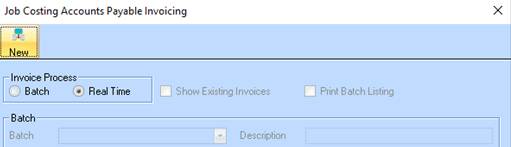
4. Select the AP Invoice button from the Toolbar. The following dialogue box will be displayed:
5. Select the New icon. The following window will be displayed:
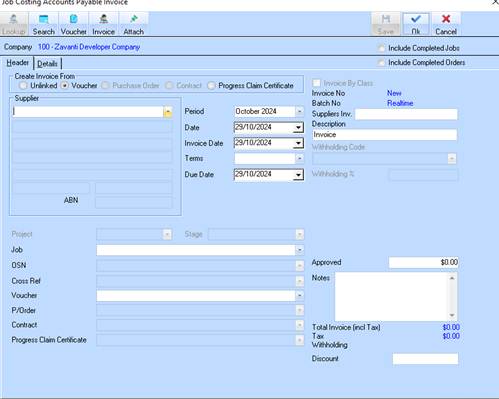
6. Ensure
the radio button  next to Voucher has
been selected
next to Voucher has
been selected
7. Select the Supplier you assigned a Voucher to. Press the OK button.
8. Select
an entry from the Voucher pick list by selecting the dropdown arrow . Upon selection, the window will be populated
with the details of the invoice that you entered.
. Upon selection, the window will be populated
with the details of the invoice that you entered.
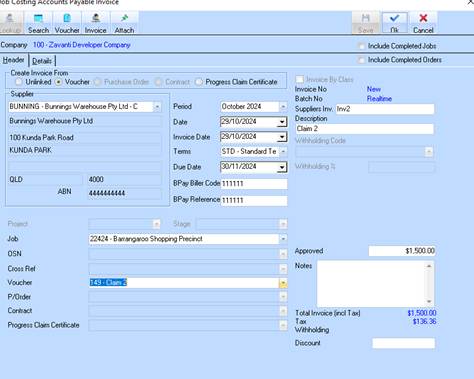
9. Press the OK button. The invoice will be saved and posted to the General Ledger.