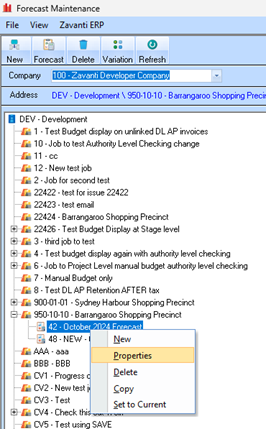
The following section is a simple guide on how to maintain an existing forecast.
1. Select the require Forecast from the TREE, and use the right mouse click options and select ‘Properties’
You can also click the ‘Forecast’ button from the menu bar, once you have selected the required Forecast.

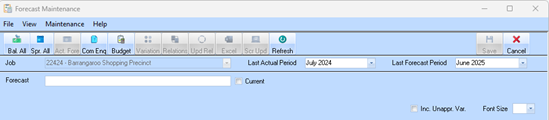
2. Set the Last Actual Period and Last Forecast Period and press Refresh.
|
|
When maintaining (properties) of an EXISTING Forecast please refer to the ‘Creating a forecast’ section of this document for details. The process of maintaining a Forecast is similar the creation of a new Forecast.
|
