You may maintain the Properties of Code List entries should the details of the Code require changing.
To maintain an entry in a Code List,
1. Select a Menu Path of Maintenance Ø Billing Cycles.
2. Select the line item you would like to modify.
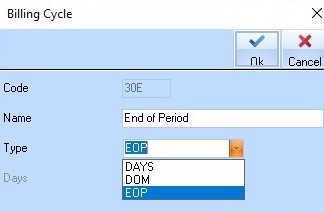
3. Press the Properties button. The following dialogue box will be displayed:
4. Select a different Type from the pick list and press the OK button. The updated Code will be displayed.