
You must set up a Sales Status with a code of ‘2’ SOLD. The system has been set up so that certain reports and the sales process utilise the code 2 for completed sales.
Sales Status defines such things as processed sales, sales in field, contract exchanged, etc. It can be amended in the Sales input screen, or in the case of processed sales, automatically updated upon process. It appears on the Stock Listing.
|
|
You must set up a Sales Status with a code of ‘2’ SOLD. The system has been set up so that certain reports and the sales process utilise the code 2 for completed sales. |
These codes are used to allow you to set a flag against a sale. When producing sales and stock reports you can group together and select by these codes. An example of a Sales Status could be ‘CONTRACT PREPARED’.
It is important to note however that certain Sales Statuses are linked to certain functions during the sales process and the defined status will be set upon the function being performed.
When you save a sale, the sales process will automatically set the Lot Status to the Sales Status thereby updating the lot and the sales statuses at the same time. For this reason, it is recommended that you make the Sold, Unconditional, Conditional etc. sales and stock statuses the same in both tables.
To Maintain Sales Status
1. Select a menu path of Maintenance Ø Sales Status.
2. The following window will be displayed:
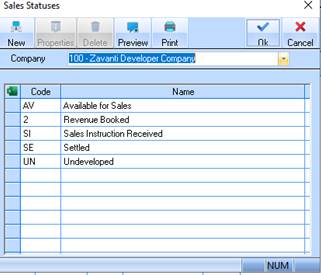
3. To create a new Sales Status, select the New button. The following window will be displayed:
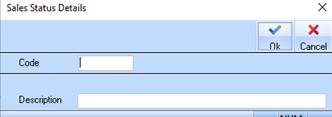
4. Assign the status a unique identifier by entering a value into the Code field. Press Tab.
5. Enter a name for the Code in the Description field. Press the OK button. The refreshed status list will be displayed as follows:
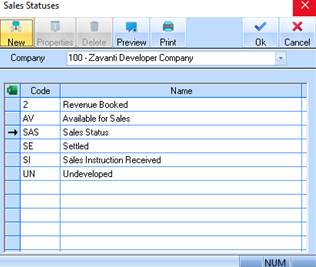
The Sales Maintenance process maintains an additional Improvement discount value (separate to the existing Lot discount). A field has been added onto the Sales Maintenance window accordingly. When processing the Sale, the Improvement discount value will be posted to the nominated GL account as per the improvement type for the stock. This discount value is also shown on the Sales confirmation report.