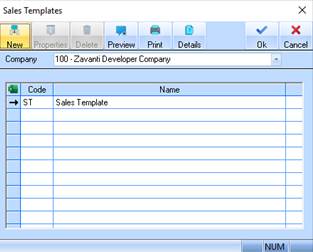
A Sales Template is used to define groups of rules that you wish to associate with a type of sale. For example, you may accrue legal costs, commissions and mortgage release fees for commercial sales and only legal costs and commissions for cash sales. In this case you would have a sales template for each.
You can set up sales templates to define your accruals on a sale once you have set up your Cost Centres i.e. Selling Commission, Legal Fees, and Commission. You may need to set up a separate template for each salesperson/agent/solicitor combination you utilise – by now you should have defined commission rates or legal expenses in your Cost Centres and marked these Cost Centres as Cost of Sale Accruals.
E.g. you have a salesperson who receives 1% commission on each sale and a solicitor who receives $300 per sale.
You should set up your Cost Centres as follows: -
•Cost Centre **** Commission – Joe Bloggs Calculation = Lot*.01
•Cost Centre **** Legals – Solicitor 1 Calculation = $300
The Template should include both the above Cost Centres.
1. Select a menu path of Maintenance Ø Sales Ø Sales Template.
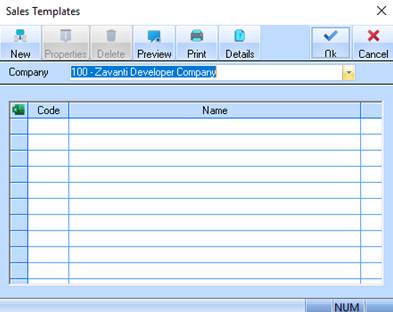
2. The following window will be displayed:
3. To create a new sales template, select the New button. The following dialogue box will be displayed:
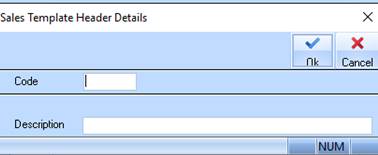
4. To assign the Sales Template a unique identifier, enter a value into the Code field and press Tab.
5. Enter a name for the Sales Template into the Description field. Press the OK button. The refreshed Sales Templates window will be displayed as follows: