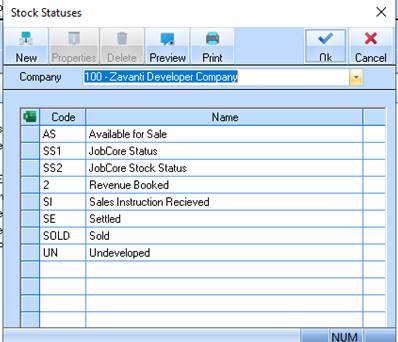
This defines the status of a lot or improvement i.e. it may be available for sale, reserved for signage, not yet available etc. This is used on Stock Reports.
Stock Statuses have a crucial role to play in the production of reports. It is therefore important that you set up stock statuses that reflect both your stock production processes and your stock marketing processes. Some typical stock statuses may be AVAILABLE FOR SALE, RESERVED etc.
When you make a sale the sales process will automatically set the Lot Status to the Sales Status thereby updating the lot and the sales statuses at the same time. For this reason, it is recommended that you make the Sold, Unconditional, Conditional etc. sales and stock statuses the same in both tables.
1. Select a menu path of Maintenance Ø Stock Ø Stock Statuses.
2. The following window will be displayed:
3. Select the New button. The following window will be displayed:
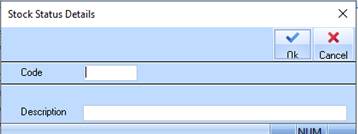
4. Enter a unique identifier into the Code field. Press Tab.
5. Enter text to describe the Stock Status and press the OK button.