This function produces correspondence using Microsoft Word, ODBC (or ASCII) and automatic MS Query that will refresh the ODBC link when the document is open.
It provides the user with the tools to build an unlimited number of standard letters or other documents and have them started and printed by functions within the Development Ledger including data from the database tables.
It also allows users to update certain database tables as a result of producing a letter. In this way not only can a record be kept of the letter being sent in a history table, but also certain data, such as dates, can be updated at the time of running the letter function.
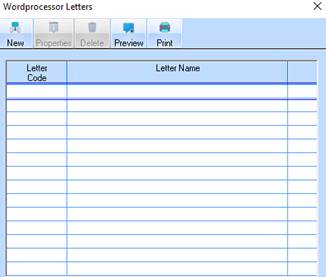
1. Select a menu path of Maintenance Ø Word processor Interfaces. The following window will be displayed:
2. To create a new link to a document, select the New button. The following window will be displayed:
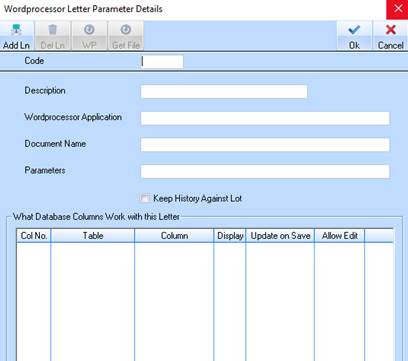
3. In the Code field enter a unique identifier for the correspondence. Press Tab.
4. In the Description field enter a name for the correspondence. Press Tab.
5. You will notice that when you position your cursor in the Word Processor Application field the WP button will be enabled. Select the button, the following window will be displayed:
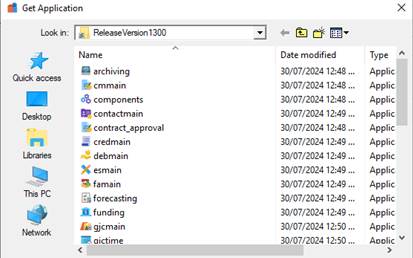
6. You will need to select the relevant executable from the director. Navigate to the correct subdirectory and select the file. Press the Open button.
7. The file path will now populate the Word Processor Application field. Press Tab.
8. To select a document, press the Get File button. The following dialogue box will be displayed:
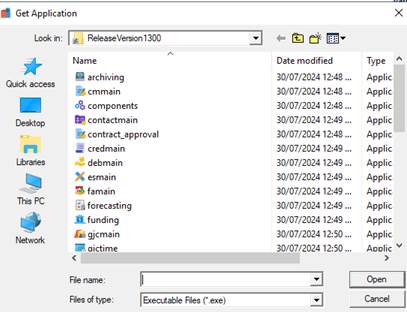
9. Select a file and press the Open button.
10. The Parameters field is used to enter special instructions to the software when initiating the word processor interface.