When you need to generate ad-hoc payments, this function enables you to process and record payments manually.
1. Select the button and Manual Payment, or a Menu Path Accounts Payable Ø Transactions Ø Payments Ø Manual Cheques.
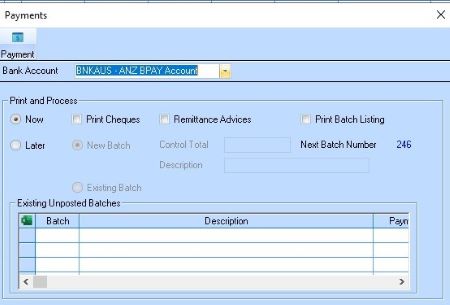
2. The following window will be displayed:
3. Make sure the Print option is selected if required. Leave the other values as they are and press the Payment button. The following window will be displayed:
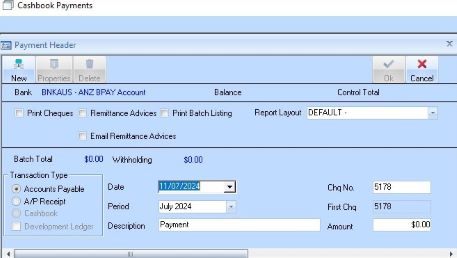
4. Enter a value into the Amount field and required dates and period. Press the New button. The following dialogue box will be displayed:
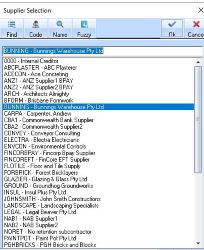
5. Select a Supplier from the list and press the OK button. The following window will be displayed:
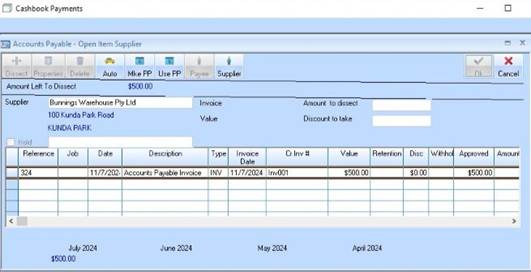
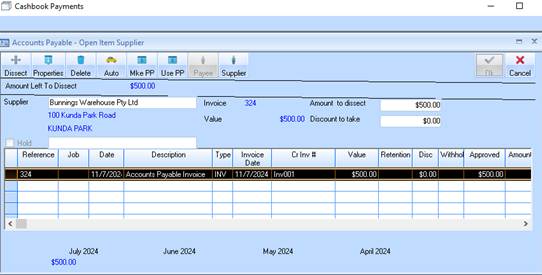
6. Select the Line Item you wish to dissect and press the Dissect button. Press the OK button. You will be returned to the Payment Header window. To make the payment, press the OK button again. The following dialogue box will be displayed:
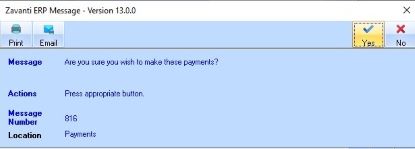
7. Press the Yes button. If one of the print options has been selected, the following dialogue box will be displayed.