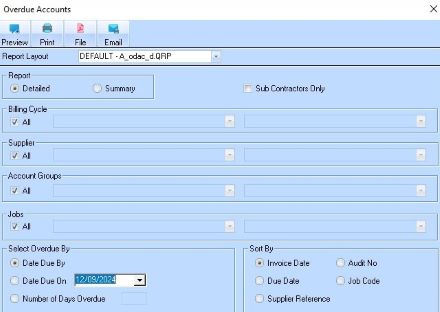
The Overdue Accounts report allows a user to display and/or print all details of any overdue invoices for Suppliers.
1. Select a menu path of Reports Ø Overdue Accounts Listing. The following dialogue box will be displayed:
2. You can elect to
print a Detailed or Summary report and apply other specific data filters to the
report. Select the Summary  radio button if required and press the
Preview button. The following window will be displayed:
radio button if required and press the
Preview button. The following window will be displayed:
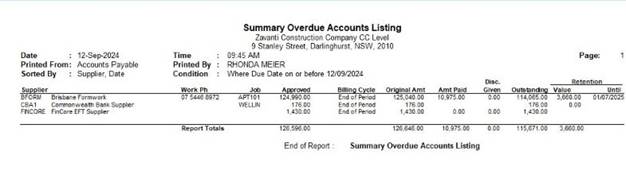
3. A print out of the report may be obtained by selecting the Print button.