Based on the settings in the Password Expiry Control, if and when required, the user will be prompted to enter a new Password when logging into Zavanti module
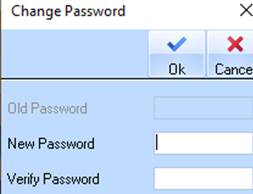
Users will be presented with the following form
The user must enter
•Old (current) password
•New Password
•Repeat Password (verify).
Once set, this new Password must be used, until the user is forced to reset the Password again.
|
NOTE |
Password must be at least 8 characters, including 1 uppercase, 1 number, and 1 symbol. Example: Pizza123# |