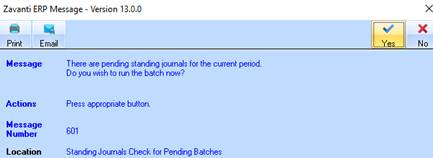
When Standing Journals have been set up in the General Ledger the user will normally see a message displayed when logging into the General Ledger module.
1. If the User selects ‘Yes’ the Standing Journals Batch Run window will be displayed
2. The user is able to answer ‘No’ and process them at a later stage if required.
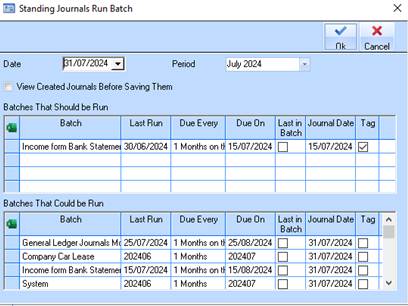
3. The top window will display batches that ‘Should’ be run (dated prior to or as at displayed date)
4. The bottom window will display any batches that ‘Could’ be run within the same period.
5. There is an option to view the journals before creating them – check this box if required.
6. Tag any batches that need to be run
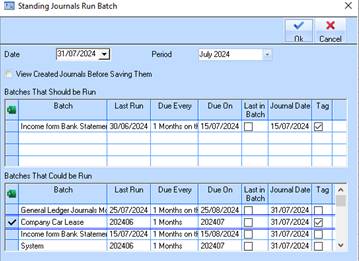
7. For this sample the 1st Batch in the ‘Could Be Run’ box has also been tagged.
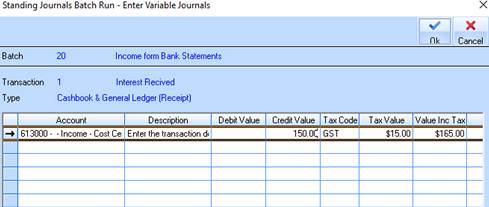
8. If any of the journals are ‘Variable’ the user will be prompted to enter the value in the next window.
9. Click on OK
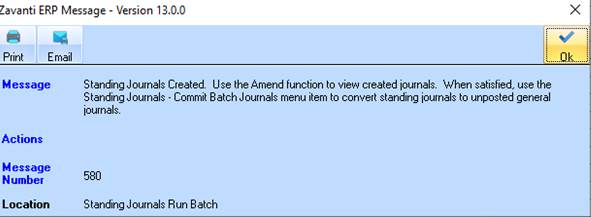
10. This message will be displayed advising the user journals have been created ready for amending or commitment. Click on OK
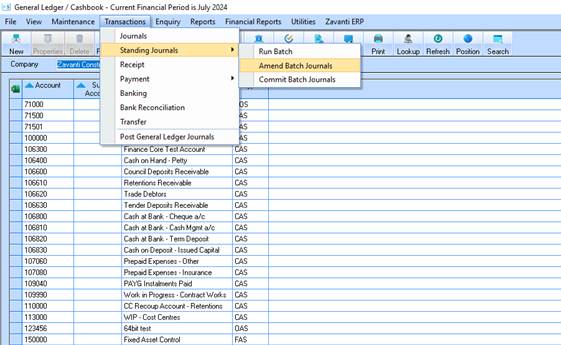
11. To view or amend the journals select Transactions/Standing Journals/Amend Batch Journals.
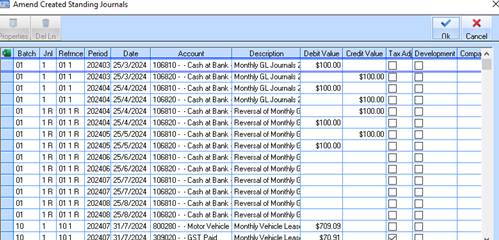
12. If the user needs to amend the journals highlight the journal and click on the Properties button
13. If no changes are needed click on OK
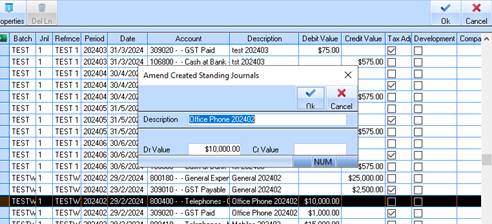
14. Make any amendments and click on OK