When attempting to balance, the most common problems relate to:
Unbanked Receipts
Go to the Bank button on your 'General Ledger' screen. Select the period and complete Bank receipts to update the General Ledger accounts with daily banking figures.
Unposted Journals
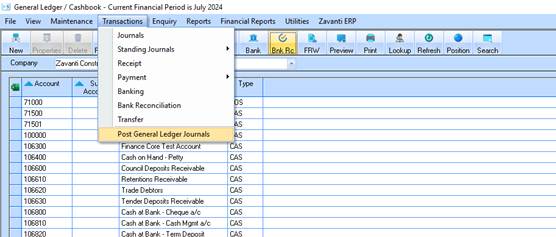
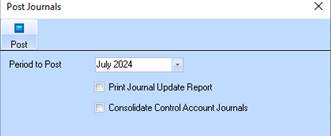
Check all sub modules to ensure posting to GL has been completed, i.e. Payroll etc. Go to General Ledger Journal button, select “Existing” for the period to determine if General Ledger Journals need to be posted.
This is essential on a regular basis to complete the account update process for transactions posted from the sub accounts.
Reversed Payments
If the payment is reversed before the payment is posted, the net effect in General Ledger Account is zero.
Conversion data or duplicate chq no's can mean the General Journals are not correct, then the appropriate adjustment must be made with a manual General Journal. (To bank and relevant other accounts).
To assist in the balancing process you can use General Ledger Report listings:
1. Run Receipt Listing from date last reconciled. Match Transactions
2. Run Payment Listing from date last reconciled. Match Transactions
3. These are your Cashbook figures.
4. Run GL Listing for the Bank Account. These are your GL figures
5. Alternatively Run Bank Enquiry - (Cashbook) Match
6. Run GL Listing for the Bank Account - (General Ledger) Transactions