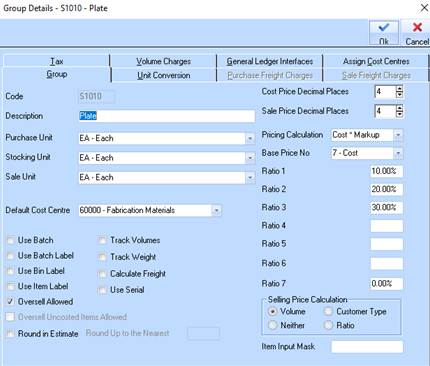
1. In the group maintenance window select ‘COST PLUS MARKUP’ and ‘RATIO’ as shown here for those groups which items you wish to apply this mark-up calculation.
2. Enter the required MARKUP % (Ratio 1-7) that are then able to be selected at the SALES ORDER / STOCK REQUISITION in order to calculate the Selling price